
Setup Guide
HOW TO SETUP THE IPTV ACCOUNT ON YOUR DEVICE
Follow our easy visual tutorials below to install and activate your IPTV subscription on your preferred streaming device, Smart TV, or computer in under 5 minutes.
How to setup IPTV on Fire TV Stick
From the home screen of your device, hover over the Find option.
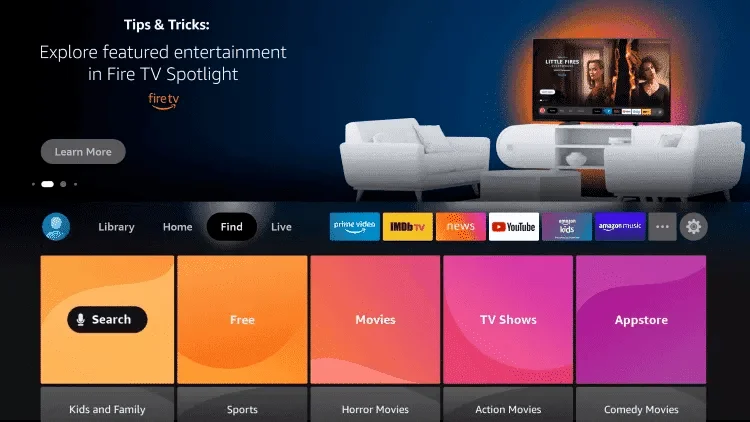
Click Search.
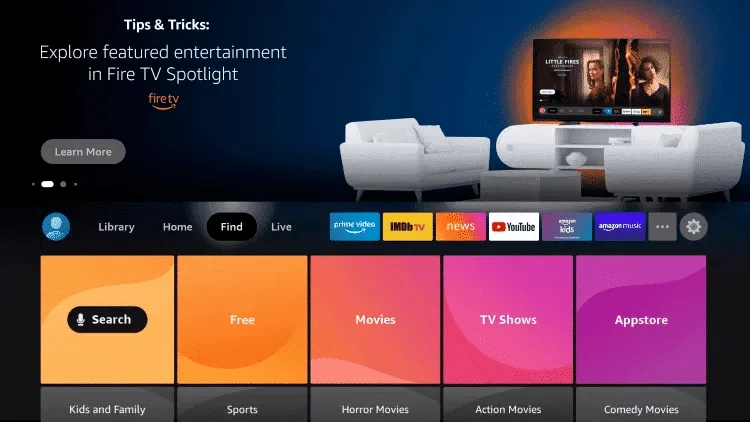
Search for and select Downloader.
Choose the Downloader app.
Click Download.
Once the app finishes installing click Open.
Return to the home screen and open Settings.
Click My Fire TV.
Choose Developer options.
Click Install unknown apps.
Find the Downloader app and click it.
This will turn Unknown Sources to On for the Downloader app. This will enable side-loading on your device.
Launch Downloader.
Click Allow.
Click OK.
Type the following CODE exactly as shown here:
and click Go.
Wait for file to download.
Click Install.
Click Done.
Open IPTV smarters then select Login with Xtream codes.
Type the following URL exactly as shown here: https://tivimates.com/tiviapk
and click Go.
Wait for file to download. Wait for the file download to finish.
Click Install and once the installation is completed. You can open the app.
Click “Add Playlist” then choose “Xtream codes”.
How to setup IPTV on Android with IPTV Smarters Pro
Step 1: Start by downloading IPTV Smarters Pro app through this URL:
Step 2: Open the app once downloaded and Enter the login details.
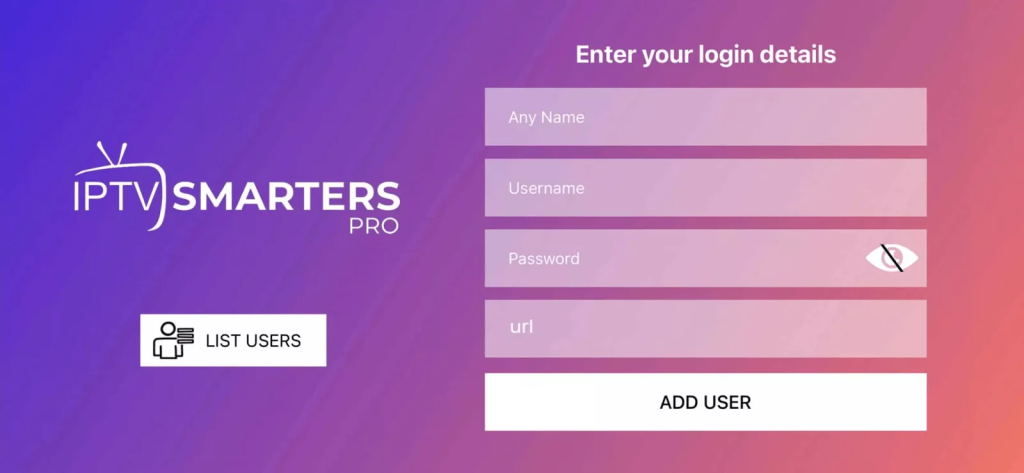
Step 4: Wait some seconds.
Step 5: Now click on “Live TV”.
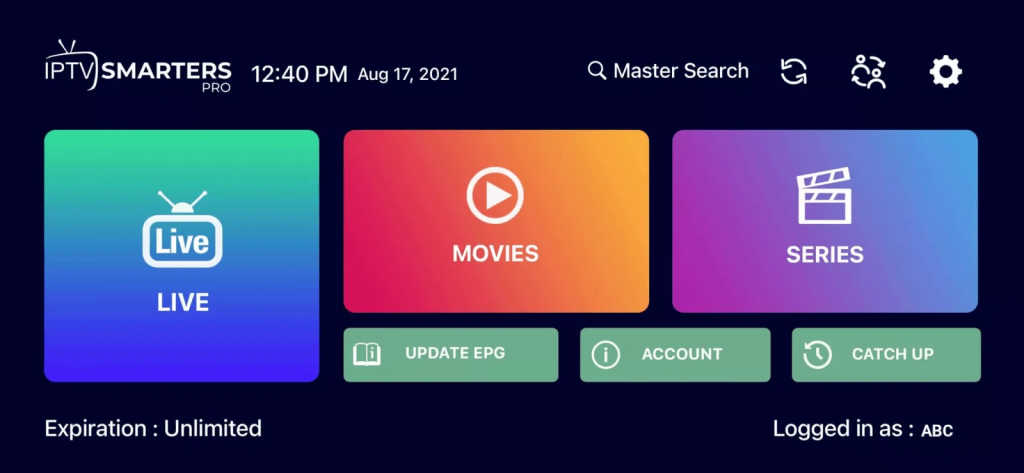
How To Setup IPTV On Apple/IOS With Smarters Player Lite
Step 1: Start by downloading Smarters Player Lite app from the Apple Store through this URL:
https://apps.apple.com/in/app/smarters-player-lite/id1628995509
or you can search for it on App store. Install the app on your IOS device.
Step 2: Open the app once downloaded and choose login with Xtream code.
Step 4: Wait some seconds.
Step 5: Now click on “Live TV”.
Step 6: Now you must select the channel group that you want to watch and proceed to the next section.
Step 7: Now you must click on the channel name and then double click on the small screen to turn into full screen as the final step.
Step 8: To add EPG no need to add any EPG url, Just click on “Install EPG”.
✓ Done
How to Setup IPTV on Smart TVs (Samsung, LG, Sony...)
Step 1: You have to download one of these apps SetIPTV / NetIPTV / Smart IPTV / IBO Player Pro / SmartOne from your TV store on Samsung, LG …
Step 2: After the installation, open the app and you will find MAC Address (and Device Key) on screen.
Step 4: After few minutes, restart/reboot your TV and Open the app.
✓ Done
How to Setup IPTV on Windows PC & MacBook
Step 1: Download the IPTV Smarters application for your desktop operating system:
For Windows:
Download IPTV Smarters Pro (.exe)
For macOS:
Download IPTV Smarters Pro (.dmg)
Step 2: Run the installer and launch the application on your computer.
Step 3: Select “Login with Xtream Codes API”.
Step 5: Click “ADD USER” and enjoy unlimited 4K & FHD streaming with low latency.
✓ Done
How to Setup IPTV on MAG Box & Stalker Middleware
Step 1: Connect your MAG box to internet and turn it on. Go to Settings -> System Settings -> Servers -> Portals.
Step 2:
Set Portal 1 Name:
StreamPro IPTV
Set Portal 1 URL: Enter the portal URL sent in your activation message.
Step 4: Press Save, exit to the main menu and click “Reboot Device”.
✓ Done! The portal will load your full channel guide automatically.
Need Help Setting Up Your Device?
Our dedicated IPTV support engineers are online 24/7 to walk you through the setup or activate your Smart TV app remotely in less than 3 minutes.